
Capture Screens with FullShot Screen Capture
Overview
FullShot Screen Capture is a desktop utility designed for users who need to capture screenshots on Windows systems. The software serves as a straightforward tool for recording screen content, making it suitable for documentation, troubleshooting, and content creation tasks. It is particularly useful for professionals and casual users who require quick access to screen capture functionality without the complexity of advanced editing tools. The application is tailored for Windows environments, with compatibility confirmed for Windows 98 and earlier versions.
Designed as a lightweight utility, FullShot Screen Capture is intended to deliver essential capture features with minimal system overhead. Its long-standing presence in the software market, having been listed since 2007, reflects its stability and continued relevance for basic screen capture needs. The software is available in English and has seen notable usage, particularly in India, where it remains a preferred choice for simple screenshot tasks.
While the developer did not provide additional details about the software’s background or development roadmap, its consistent availability and low resource footprint suggest a focus on reliability and simplicity. The application is ideal for users who prioritize ease of use and quick access to screen capture functions, especially in older Windows environments where modern alternatives may not be compatible.
Key Features & Capabilities
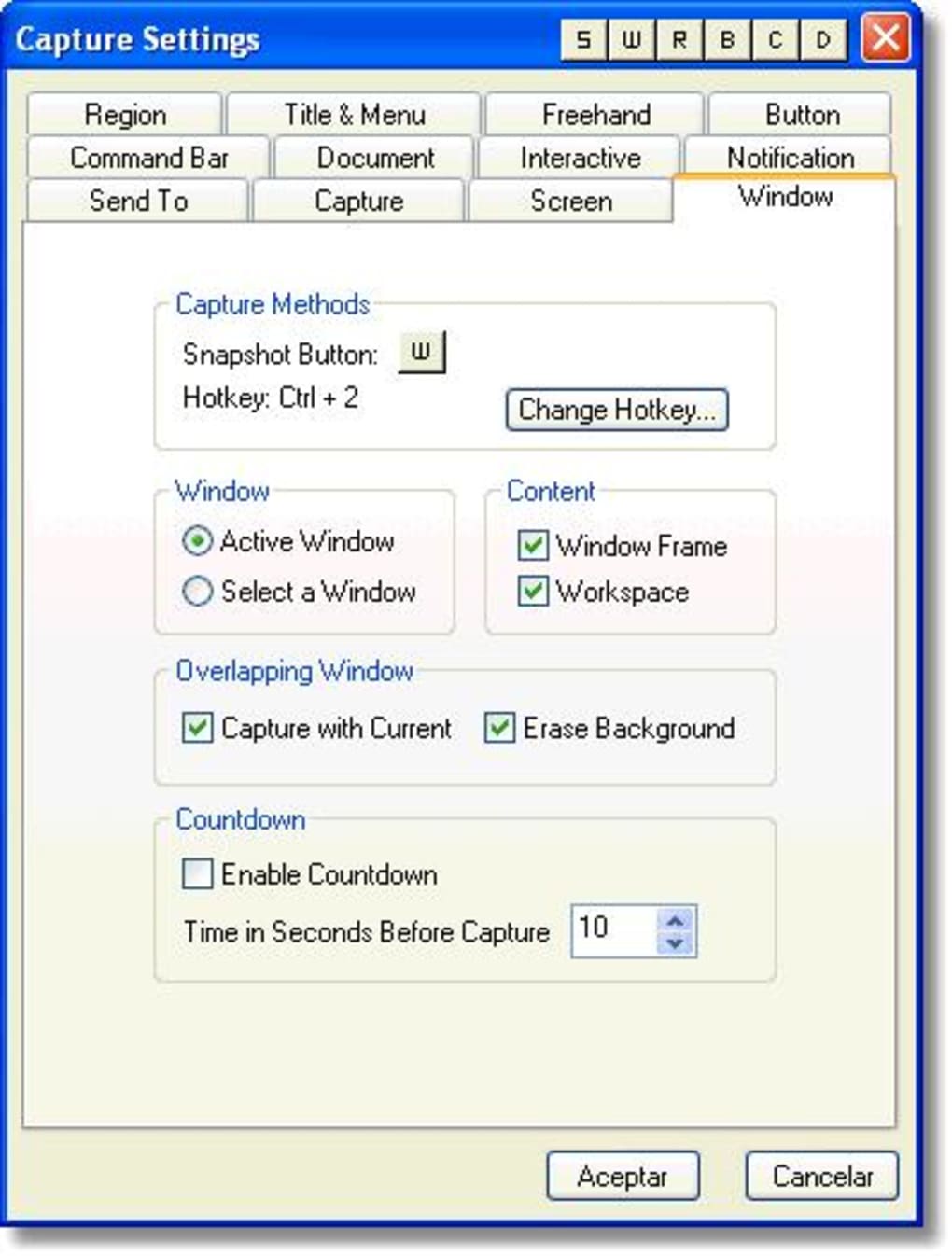
- Basic Screen Capture – Enables users to capture full-screen, window-specific, or custom region screenshots with a single command.
- Lightweight Design – The application requires only 2.2MB of disk space, making it ideal for systems with limited storage or older hardware.
- Compatibility with Legacy Systems – Supports Windows 98 and earlier versions, ensuring usability on outdated or restricted environments.
- Simple Interface – Offers a minimalistic user interface focused on core functionality, reducing the learning curve for new users.
- Free Access – Available at no cost, allowing broad adoption across personal and professional use cases.
These features make FullShot Screen Capture a practical tool for creating visual documentation, sharing error messages, or preserving on-screen content. For example, users can quickly capture a software bug report or a specific web page section without the need for complex editing. The software’s minimal design ensures that it does not interfere with other running applications, making it suitable for multitasking environments.
User Interface, Workflow & Performance
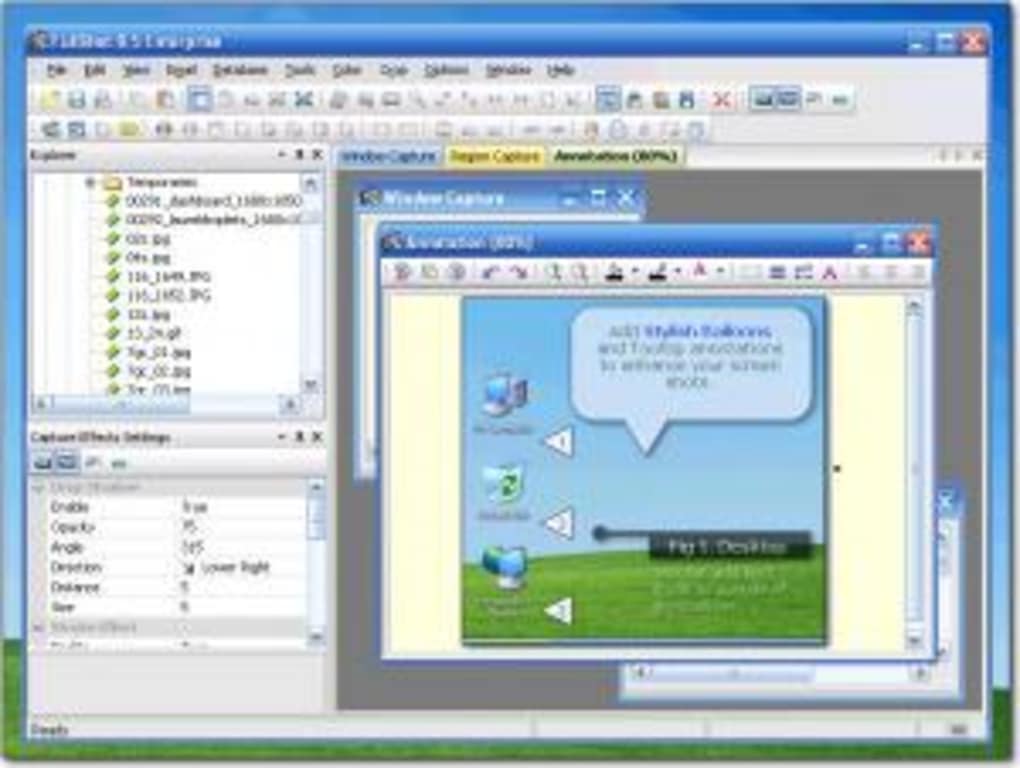
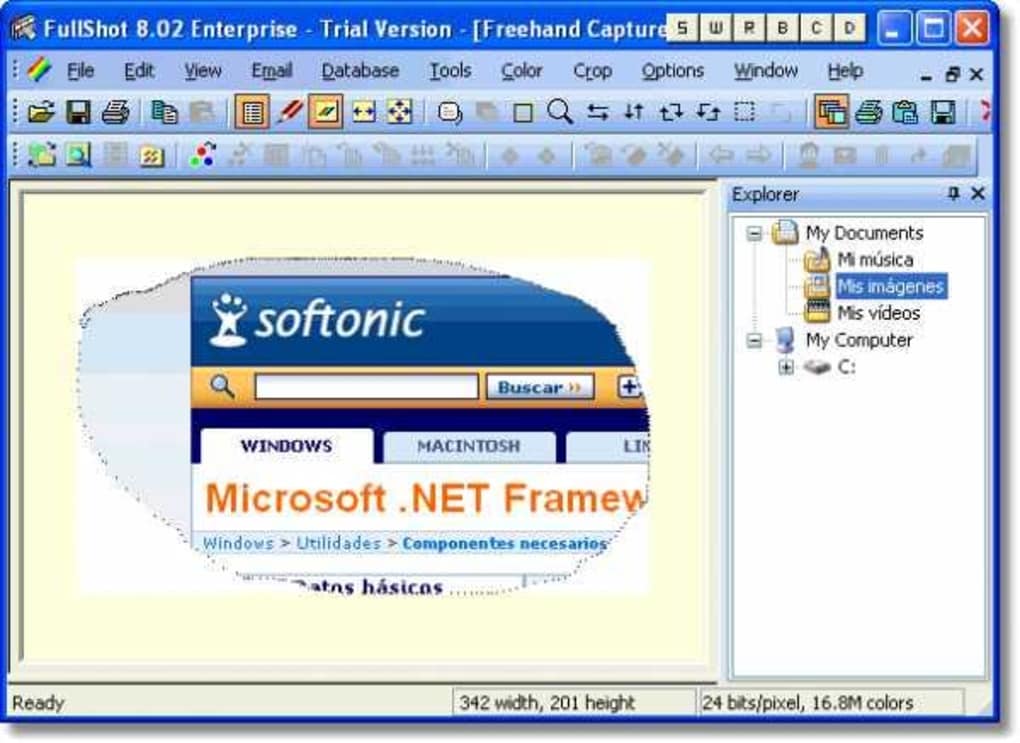
The user interface of FullShot Screen Capture is designed with simplicity in mind. It features a compact layout with essential controls accessible through a minimal set of buttons or keyboard shortcuts. Navigation is straightforward, allowing users to initiate a capture with a single click or key combination. The workflow is optimized for speed, minimizing the time between decision and execution.
Performance observations are based on general software behavior patterns. The developer did not specify resource usage details, but the software’s small file size of 2.2MB suggests efficient memory and CPU usage. It is expected to run smoothly on systems with limited processing power, particularly those running older Windows versions. Stability is likely maintained due to the software’s long history and consistent release cycle.
However, exact performance details were not specified. Users may experience varying response times depending on system configuration and background processes. The software does not appear to include advanced post-capture editing tools, which keeps the workflow focused on capture rather than refinement.
Compatibility & System Requirements
FullShot Screen Capture is designed exclusively for Windows operating systems. The software is confirmed to run on Windows 98 and earlier versions, which limits its use to legacy environments. This compatibility ensures that users with older hardware or restricted system configurations can still access basic screen capture functionality.
The installation size is 2.2MB, which is smaller than the average program in the Design & photography software category. This low footprint makes it suitable for systems with limited storage capacity or slow internet connections. The developer did not provide additional system requirements, so users should expect minimal demands on RAM and CPU.
Exact system requirements were not listed. Users are advised to test the software on their target system to confirm functionality. While the software is available in English, no information was provided about multilingual support or regional availability beyond the default language.
Pros and Cons
Pros
- Lightweight at just 2.2MB in size
- Free to use with no licensing fees
- Compatible with Windows 98 and earlier systems
- Simple interface with minimal learning curve
- Quick and efficient screen capture workflow
Cons
- Limited to older Windows versions
- No advanced editing or annotation tools included
- Outdated version (9.5) released in 2007
- No official update or support information available
- Not compatible with modern Windows systems (Vista, 7, 10, 11)
FAQ Section
Is FullShot Screen Capture safe to download and use?
Yes, the software is available through a trusted software catalog and has been in use since 2007. However, as it is not updated since 2007, users should exercise caution when running it on modern systems due to potential security vulnerabilities.
Can I use FullShot Screen Capture on Windows 10 or Windows 11?
No, the software is only confirmed to work on Windows 98 and earlier versions. It is not compatible with Windows 10 or Windows 11 due to changes in system architecture and API support.
Is FullShot Screen Capture available for Mac or Linux?
No, the software is exclusively designed for Windows operating systems and is not available for Mac or Linux platforms.
Does FullShot Screen Capture require an internet connection?
No, the software operates offline and does not require an internet connection to capture screenshots or save files locally.
What type of license does FullShot Screen Capture use?
FullShot Screen Capture is distributed as free software with no restrictions on personal or professional use.
Final Thoughts + CTA
FullShot Screen Capture remains a functional tool for users working within legacy Windows environments. Its lightweight design, free access, and straightforward interface make it a viable option for basic screen capture tasks on older systems. However, its lack of modern compatibility and absence of recent updates limit its usefulness for contemporary users.
For individuals who rely on Windows 98 or earlier systems and need a reliable way to capture screen content, this software offers a practical solution. Professionals in technical support, documentation, or education may find value in its simplicity and low resource usage.
Despite its age, FullShot Screen Capture continues to serve a niche audience. However, users on modern operating systems should consider more up-to-date alternatives for better security, features, and compatibility.
Download FullShot Screen Capture now







